Unofficial guide · checked 19 October 2026 · SolidCraft 0.16.2
SolidCraft — GitHub, Downloads & First Model Guide
Find the official project, choose how to run it, and build your first part.
Screenshots and measurements in this guide were taken in the official web app, version 0.16.2, on 19 October 2026. Download links go to GitHub Releases.
What is SolidCraft?
A free, open-source parametric CAD program written in Rust
SolidCraft is a clean-room CAD application for sketches, solid features and assemblies. Sketches are driven by a constraint solver and solid operations live on a timeline, so changing an early dimension rebuilds everything downstream — the behaviour you expect from professional parametric CAD.
It ships as a native desktop app for Windows, macOS, Linux and FreeBSD, and as a WebAssembly build that runs the same code in a browser. Geometry is checked by the project’s own test suite, and files are ordinary local files: .solidcraft designs and STEP exports, with no cloud account in between.
The app is developed in the open. Bugs, feature requests and release notes are all on GitHub, and the browser build is updated by the official project — not by this site.
How a part is built
Sketch → Extrude → Edit
SolidCraft keeps the history of what you did, not just the final shape. That is why the third step matters as much as the first two.
- 01
Sketch
Draw a rectangle on a plane. Dimensions are constraints: type 40 and 30 instead of clicking approximate points, and the sketch solves itself.
- 02
Extrude
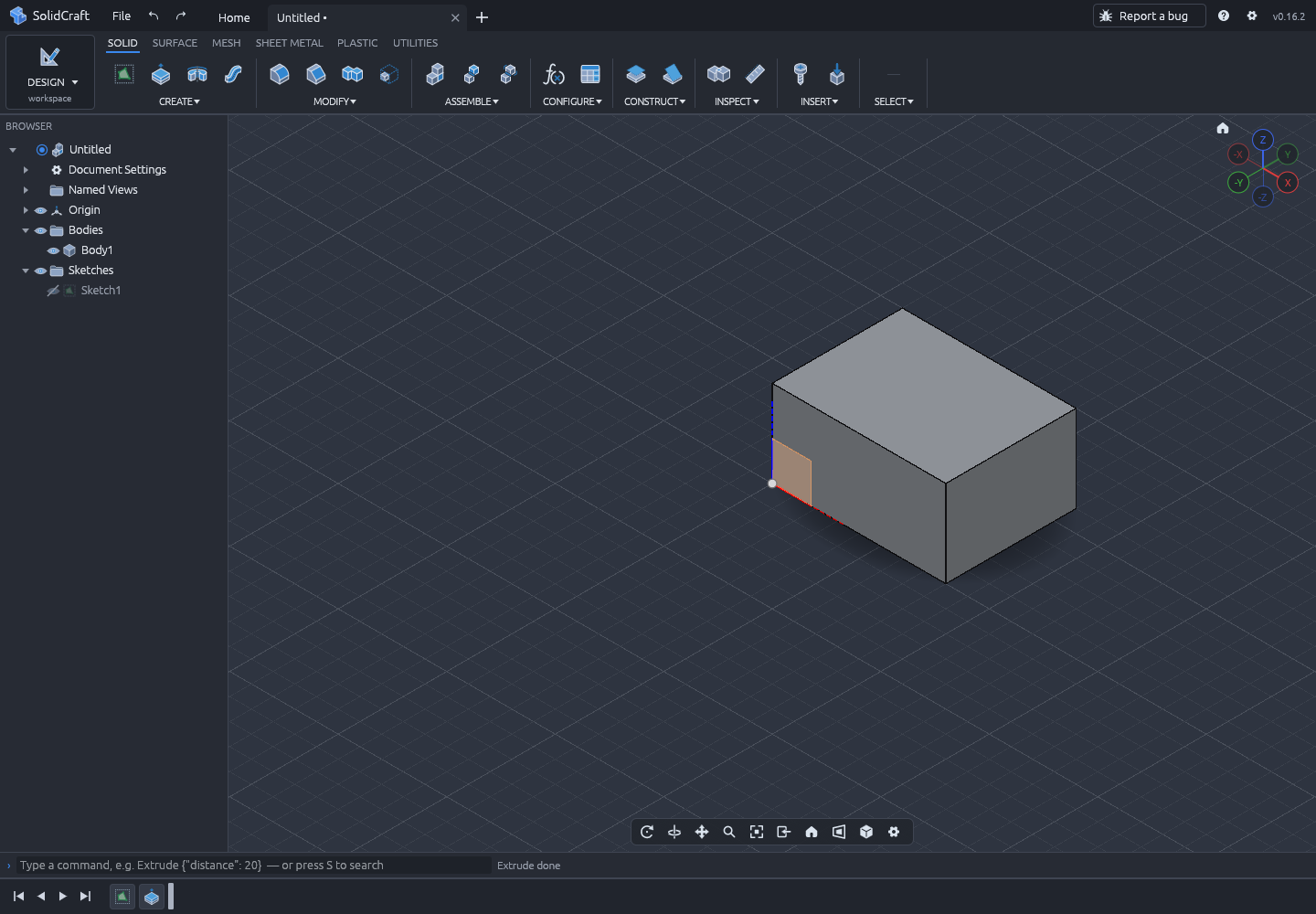
Turn the closed profile into a solid. One distance — 20 mm — gives the box used throughout this guide: 40 × 30 × 20 mm.
- 03
Edit
Double-click the sketch, change the 40 to 60, and the body rebuilds. This is the difference between a mesh and a parametric model.
Your first model
A 40 × 30 × 20 mm box, measured in the app
The tutorial draws a dimensioned rectangle on the XY plane, extrudes it 20 mm, then proves the model is parametric by changing the width. The expected result is not a guess: the body’s properties report it.
- Width
- 40 mm
- Depth
- 30 mm
- Height
- 20 mm
- Volume
- 24,000 mm³
Questions
Frequently asked
Short answers about the project, the official files and the browser build.
Is SolidCraft free to use?
Is this the official SolidCraft website?
Do I need to install anything to try it?
Why does Windows or macOS warn me about the download?
Where does the web app keep my designs?
Which version does this guide describe?
Why does the built-in updater stop at 0.11–0.14?
Can SolidCraft open and export STEP files?
Ready to make the box?
It takes about ten minutes in the browser, and you can check every number on this site against the running app.